A 30-minute office holiday party agenda that works on a video call too
A short holiday party is easier to schedule than a long one, and easier to say yes to. Thirty minutes fits into a team's calendar, leaves room for work before and after, and works for a mixed team where some people are in the office and some are on a video call. This guide gives you a minute-by-minute agenda, tips for the room and for the call, and a few rules that keep it friendly.
Why thirty minutes works
A longer party needs more planning, and a longer meeting asks more of people who are already busy at year end. A thirty-minute slot is long enough for three light games and an awards round, and short enough that nobody feels trapped. If you can, put it at a time when people are already together: after a team meeting, or at the end of a working day.
Before you start: choose the format
Decide first whether you are running it in a room, on a video call, or both. The agenda below works for all three. The only difference is how people answer. In a room, people can point, wave or call out. On a call, they can answer by voice, in the chat, or with a hand raise. Tell people at the start that they can answer any way they like, and that passing is always fine.
The agenda, minute by minute
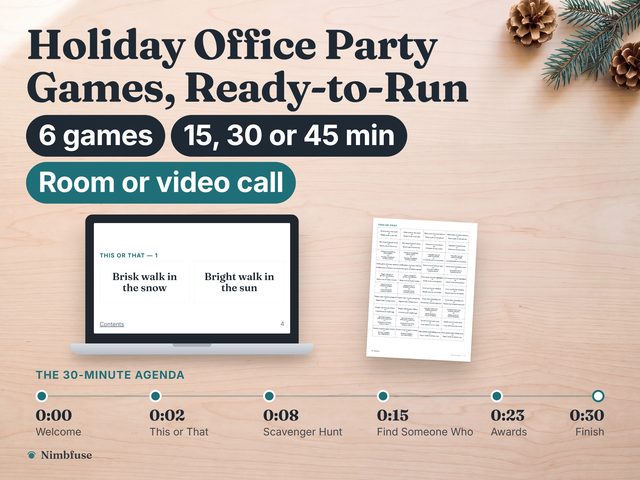
0 to 2 minutes: Welcome. Say a short hello, say what you will do, and say that everyone can join in their own way or simply watch. A cheerful, brief opening sets the tone.
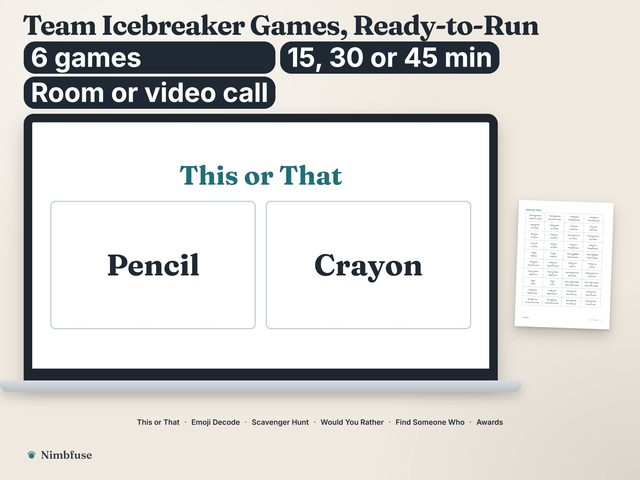
2 to 8 minutes: This or That. Show a pair of choices and let people pick one. Play about twelve pairs at roughly thirty seconds each, and skip the rest rather than rush. On a call, people choose with a wave, a chat reply or their voice.
8 to 15 minutes: Scavenger Hunt. Give people thirty seconds to find an item or a detail and share it. Play about seven rounds. Showing the item is optional: people can simply describe what they see from where they are.
15 to 23 minutes: Find Someone Who. This is the mingling round. People look for a colleague who shares a favorite or a habit, then compare what they have in common. In a room, they can move around or answer from their seats. On a call, they can reply in the chat or by hand signal, or pass.
23 to 30 minutes: Awards. Finish with light awards. Read each title, then name one recipient, and keep it to a single sentence. No long stories. Ten awards in seven minutes is about the right pace. End with a thank-you to everyone.
Tips for the room
Put any printed pages or cards where everyone can reach them before the games begin. Let guests answer from their seats, so nobody has to move around. Keep a printed copy of the host script nearby so you can look down and find the next line.
Tips for the video call
Open your slides in a PDF viewer, full screen, and share your screen in whatever meeting tool your team uses. Keep the host script open on a second window or a printed page. Invite answers by voice, chat or hand raise, and make passing easy. If you share a slide deck as a PDF, you can jump to a game by clicking its name on slide 2.
Rules that keep it friendly
- Keep the pace light. Leave time for a few cheerful reactions.
- Follow the agenda's number of rounds and skip the rest, rather than rush people through everything.
- Invite quick answers, but let anyone pass or simply enjoy the round.
- Do not make anyone speak who does not want to.
- Keep the tone seasonal and kind. Skip anything that could embarrass someone.
If you have more or less time
If you have fifteen minutes, keep a short Welcome, This or That, Scavenger Hunt and Awards, with fewer rounds in each. If you have forty-five minutes, add Emoji Decode and Would You Rather and give each game a little more room. The structure stays the same: a welcome, a few light games, a mingling round and a finish with awards.
A kit that runs this agenda for you
If you do not want to write the games and slides yourself, Nimbfuse has a ready-to-run kit: Office Holiday Party Games for Work. It has six games, a host script with 15-, 30- and 45-minute agendas, a 104-slide PDF, printables for the room, Find Someone Who cards and award certificates with fillable name fields. Open the slide PDF full screen, share your screen and follow the host script; or print the room pages and cards. You need a PDF viewer and a computer to present, and a printer for the printed activities. It is a digital download on our Etsy shop, and the product page is on this site.